
How to Create a Content Hub That Drives Traffic and Conversions
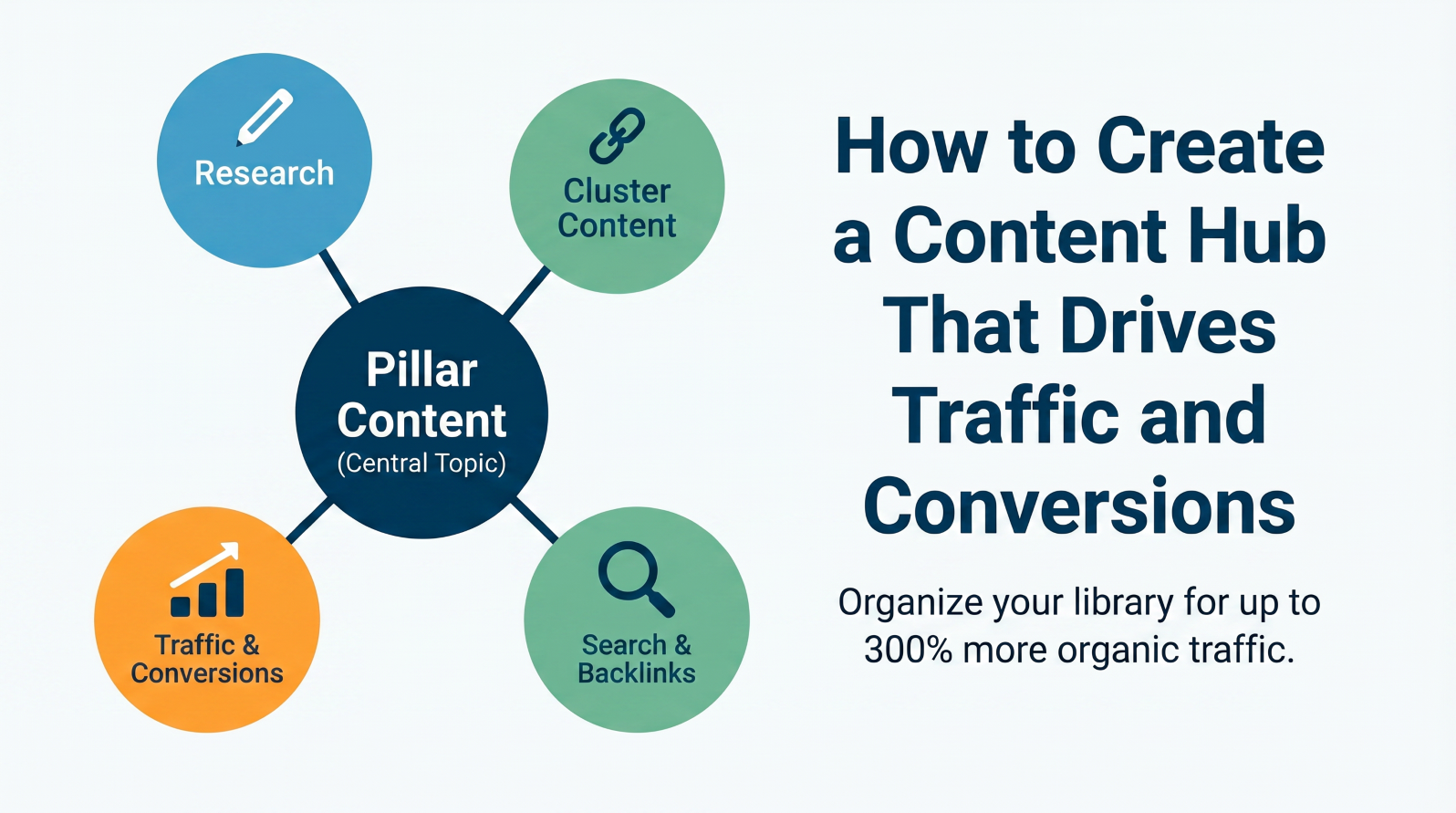
Posting random blog articles and hoping for the best? That almost never works. Many websites publish content, only to watch it disappear. A content hub fixes that. It groups your content into a single main topic. It links the pieces together. It also gives readers and search engines a clear route to follow.
When built the right way, a content hub can drive up to 300% more organic traffic. No gimmicks. No quick fixes. Just a strong structure that keeps working.
What Is a Content Hub?
Your website is like a library. Without organization, a library is simply a collection of books. A content hub organizes content to enhance access for both visitors and search engines.
Pillar content and cluster content are both essential elements of a content hub. An example of pillar content is a comprehensive webpage that covers a general topic in detail. On the other hand, cluster content can be illustrated by smaller, focused pages that cover specific aspects of the main topic. These cluster pages are linked back to the pillar page.
Why Content Hubs Drive More Traffic and Conversions
Search engines reward topic authority. When you cover one subject in detail and connect each piece, Google may view your site as a go-to source. That can improve rankings across many related keywords in one move.
And it does not stop there. When readers arrive on your pillar page, they follow links to the related pages. They stay longer. They explore more. They come back. That kind of behavior tells search engines your content is worth showing to people. Better rankings follow naturally.
Sites with content hubs also attract far more backlinks. Other websites link to yours because it’s the most useful resource on that topic. Those links build your authority over time. It’s a really good cycle to be in.
And conversions improve too. When readers move from one page to the next inside your hub, they go deeper into your topic. They trust you more. A reader who visits five of your pages is way more likely to sign up or buy than someone who reads one post and leaves.
Types of Content Hubs
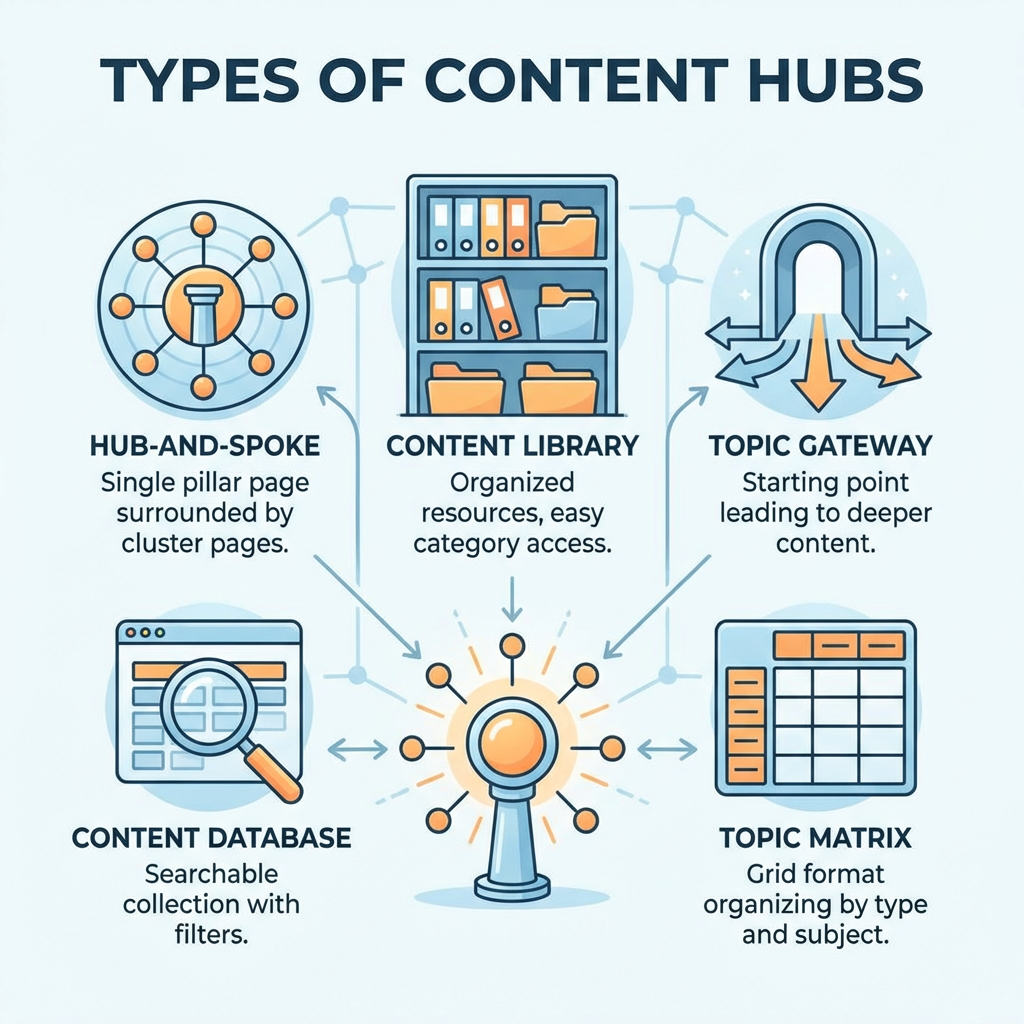
You don’t have to build one specific kind. Pick the model that fits your business best:
- Hub-and-spoke: A single pillar page surrounded by numerous spokes (subsequent) pages. Ideal for specific topics.
- Content library: Contains numerous resources, allows easy organization by category, and provides easy access through the search function. Good for larger sites.
- Topic gateway: A starting point that sends readers into deeper content. Works well for broad industries.
- Content database: Good for technical or data-heavy content. A collection of content that is searchable and has specific filters.
- Topic matrix: A grid format that organizes content by type and subject. This type of site works well for e-commerce.
Start with hub-and-spoke. It’s the easiest to build and the most effective for most businesses.
How to Build Your Content Hub
You need to start with research. Try to find a main topic your audience genuinely cares about. Use Google’s “People Also Ask” section or tools like AnswerThePublic. And then look for questions people are already searching for. Pick a topic with real demand.
Next, plan your structure before you write anything. Your pillar page covers the full topic. Each cluster page covers one specific piece of it. You will also need to map out how the internal links will connect everything before you start writing.
Then write the pillar page. Make sure you write it long, detailed, and actually helpful. Aim for at least two thousand words. Make sure you cover the topic better than anyone else. Finally, you can link out to your cluster pages from inside it.
Write your cluster pages next. Each one should answer one focused question tied to the main topic. Make sure each page stays tight and clear. Link every cluster page back to the pillar, too.
Set up your navigation after publishing. Also, use clear headings, simple menus, and easy-to-find links between related content. Add a new cluster page each month. You can also refresh older pages with updated info every few months.
Mistakes to Avoid
Watch out for these:
- Thin content that barely answers a question
- No internal links between related pages
- Publishing once and never coming back to update
- Slow-loading pages that frustrate mobile readers
- Two pages chasing the same keyword
Avoid these, and you’re already ahead of most sites.
Play the Long Game
Building a content hub is an investment of time and energy, and there won’t be significant results in your first week. However, results are only a few months away. After year one, you’ll be able to see the difference between your site and your competitors.
The most rewarding piece of this puzzle is that once your hub is built, it continues to work with almost no effort on your end. It requires a bit of upkeep to add and refresh content. This is an investment that pays you back for years to come.